 Free Chrome Extension
Preview your social media posts from Notion
See exactly how your posts will look on LinkedIn, Instagram, X, Facebook, YouTube Shorts, and TikTok - before you publish.
Download the extension → 100% free
 LinkedIn
 Instagram
 X
X Facebook
 YouTube Shorts
 TikTok






+4200 creators have published more than 100,000 posts with Scheduled.


6 platforms, one preview
Switch between LinkedIn, Instagram, X, Facebook, YouTube Shorts, and TikTok previews with a single click. Each platform has its own formatting rules, character limits, and display logic.
The extension adapts the preview to match exactly how your post will render on each platform - so you catch issues before publishing, not after.
See the extension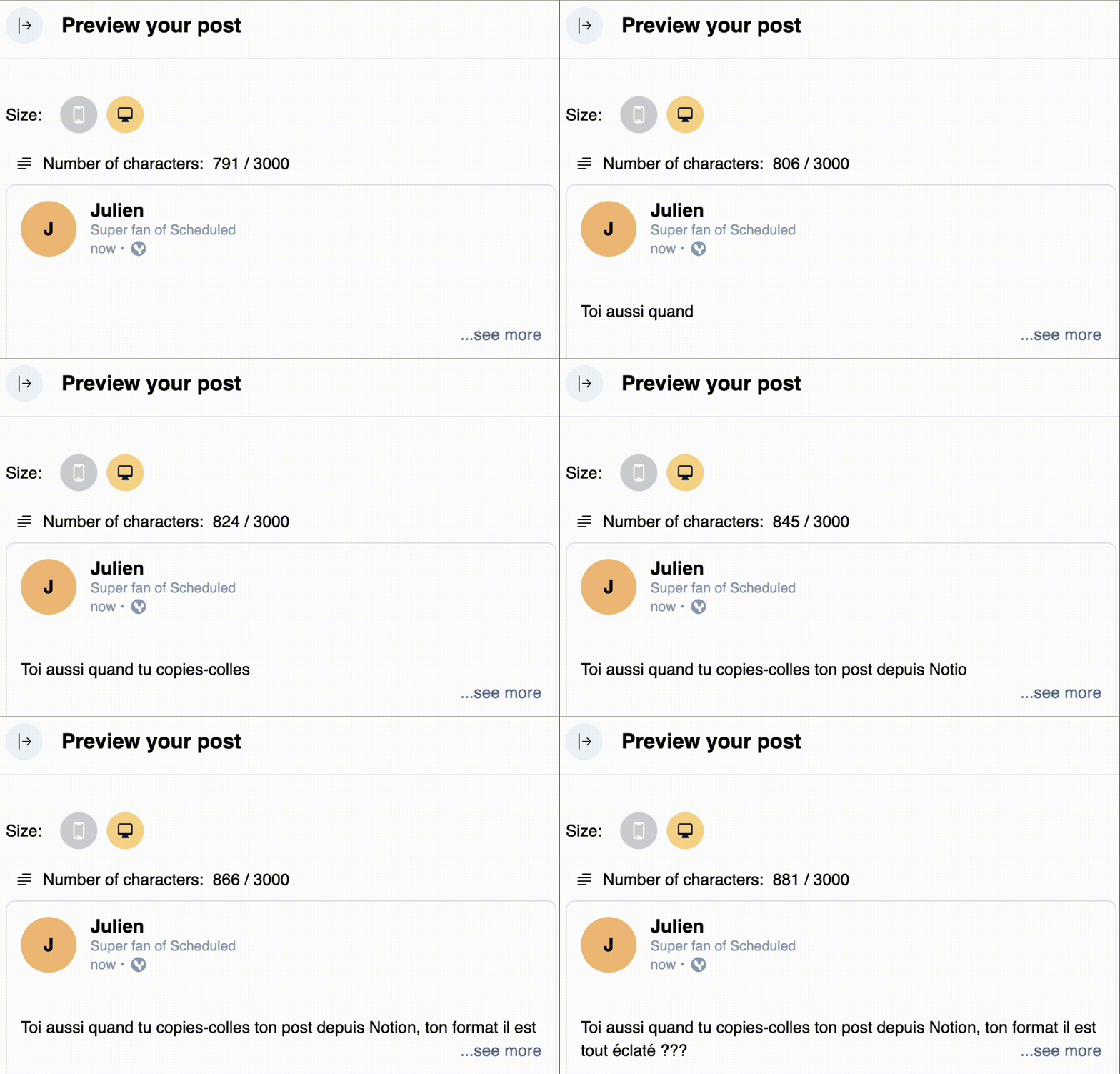
Optimize your hook
On LinkedIn, only the first ~210 characters are visible before the "See more" button. Your hook determines whether people expand your post or scroll past it.
The extension shows you the exact cutoff point in real time as you write, so you can craft a hook that stops the scroll every time.
See the extension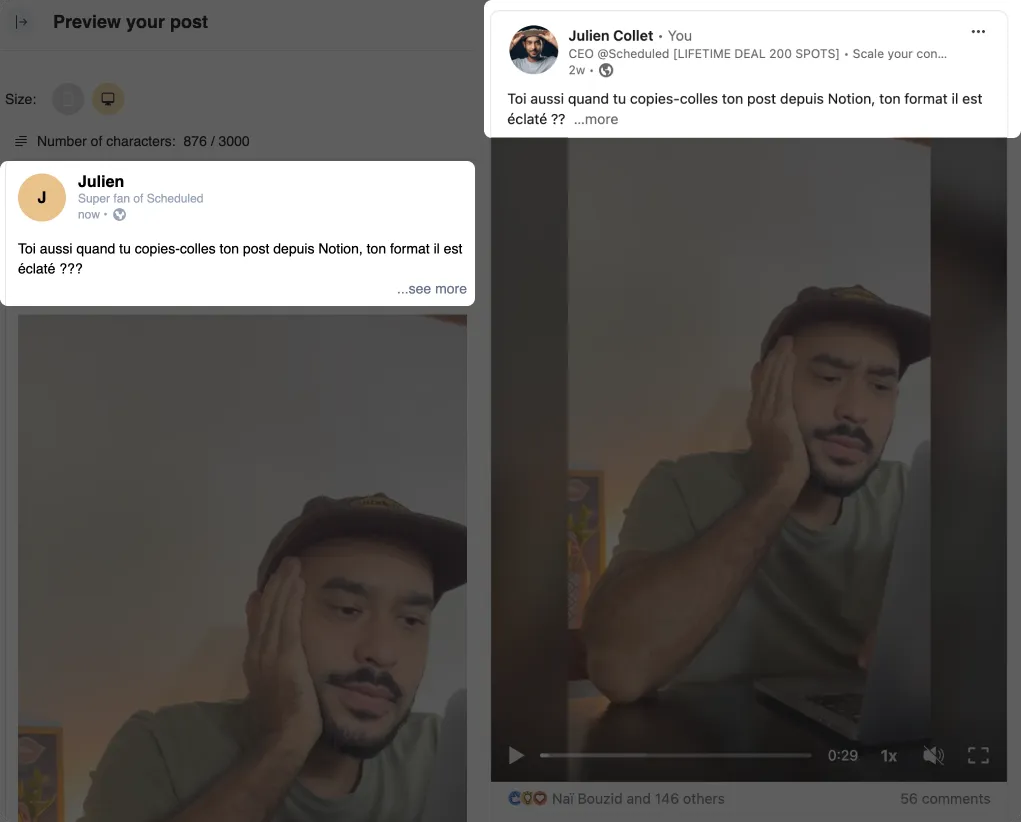
Smart character counting
Each platform has different character limits - LinkedIn allows 3,000 characters, X limits you to 280, and Instagram captions max out at 2,200.
The extension counts characters in real time using each platform’s specific rules, including how emojis, bold text, line breaks, and special characters are counted differently across platforms.
See the extension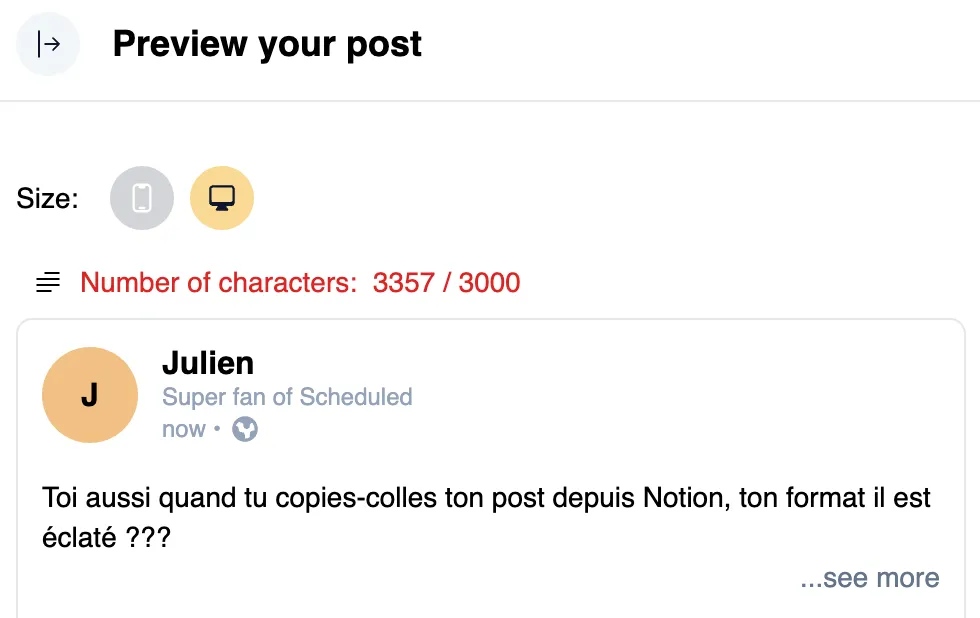
Mobile and desktop preview
Over 60% of LinkedIn users browse on mobile, where your post looks very different from desktop. Line breaks, image cropping, and text truncation all change depending on screen size.
Toggle between mobile and desktop preview to make sure your post looks perfect everywhere.
See the extension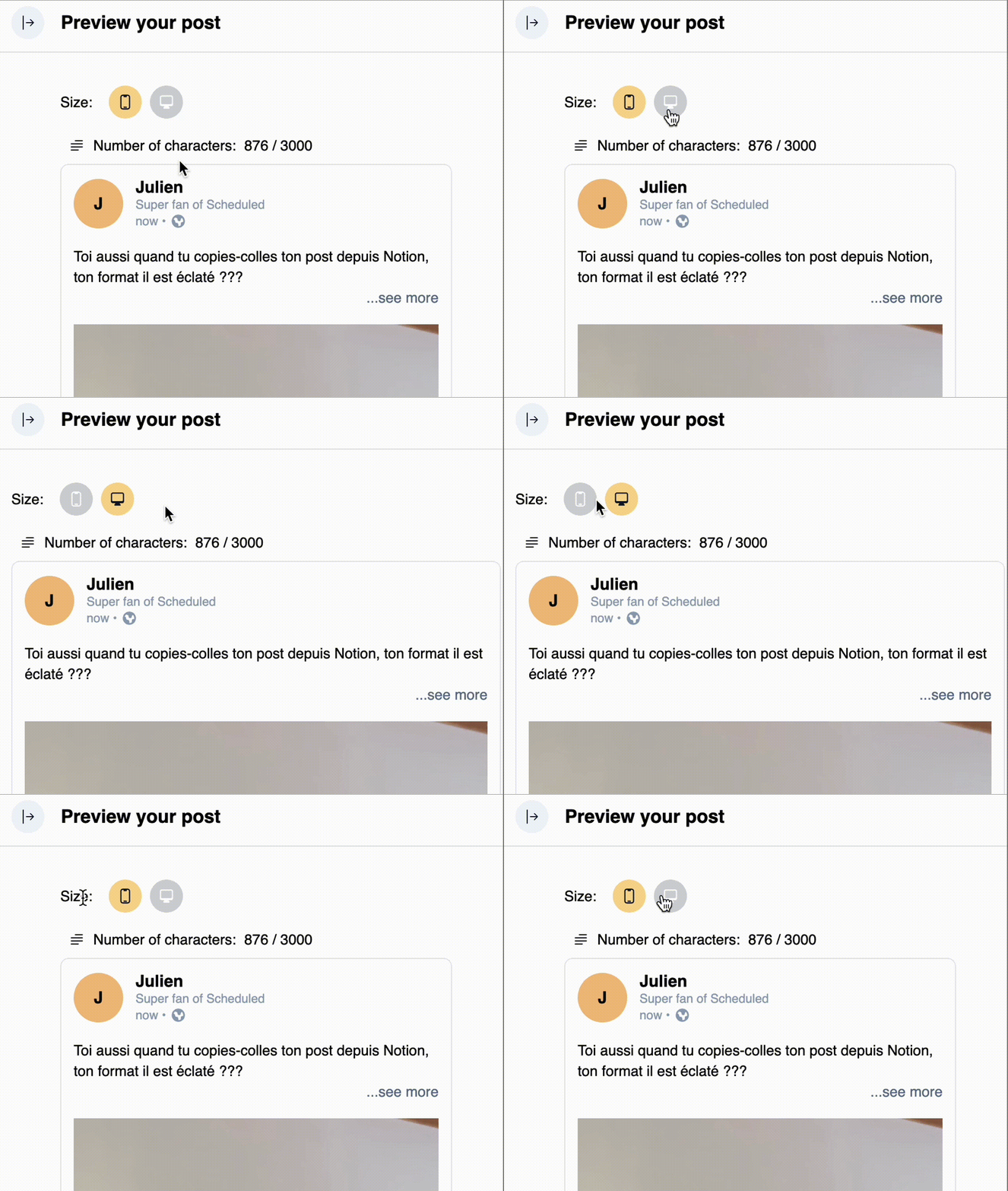
Frequently Asked Questions
Yes, the preview extension is 100% free with no limitations. You don’t need a Scheduled account to use it.
You can preview posts for LinkedIn, Instagram, X (Twitter), Facebook, YouTube Shorts, and TikTok. Each preview follows the platform’s exact formatting and display rules.
No. The Chrome extension works standalone for previewing posts. If you also want to schedule and publish posts directly from Notion, you can sign up for a free 14-day trial of Scheduled.
Yes. The extension reads the content of your current Notion page and generates a live preview. It works with any Notion database structure - no specific setup required.
The character counter uses each platform’s specific counting rules. For example, emojis count as 2 characters on some platforms, and URLs have fixed character counts on X. The counter reflects exactly what the platform will count.
Preview is just the beginning
Once your post looks perfect, publish it directly from Notion - no copy-pasting, no switching tabs. Scheduled supports automatic publishing to all 6 platforms.