Social Media Calendar - Free Notion Template
Plan content across all platforms from a single Notion calendar. Includes calendar view, kanban board, platform filters, and multi-format support. Duplicate and start organizing your content.
What's inside
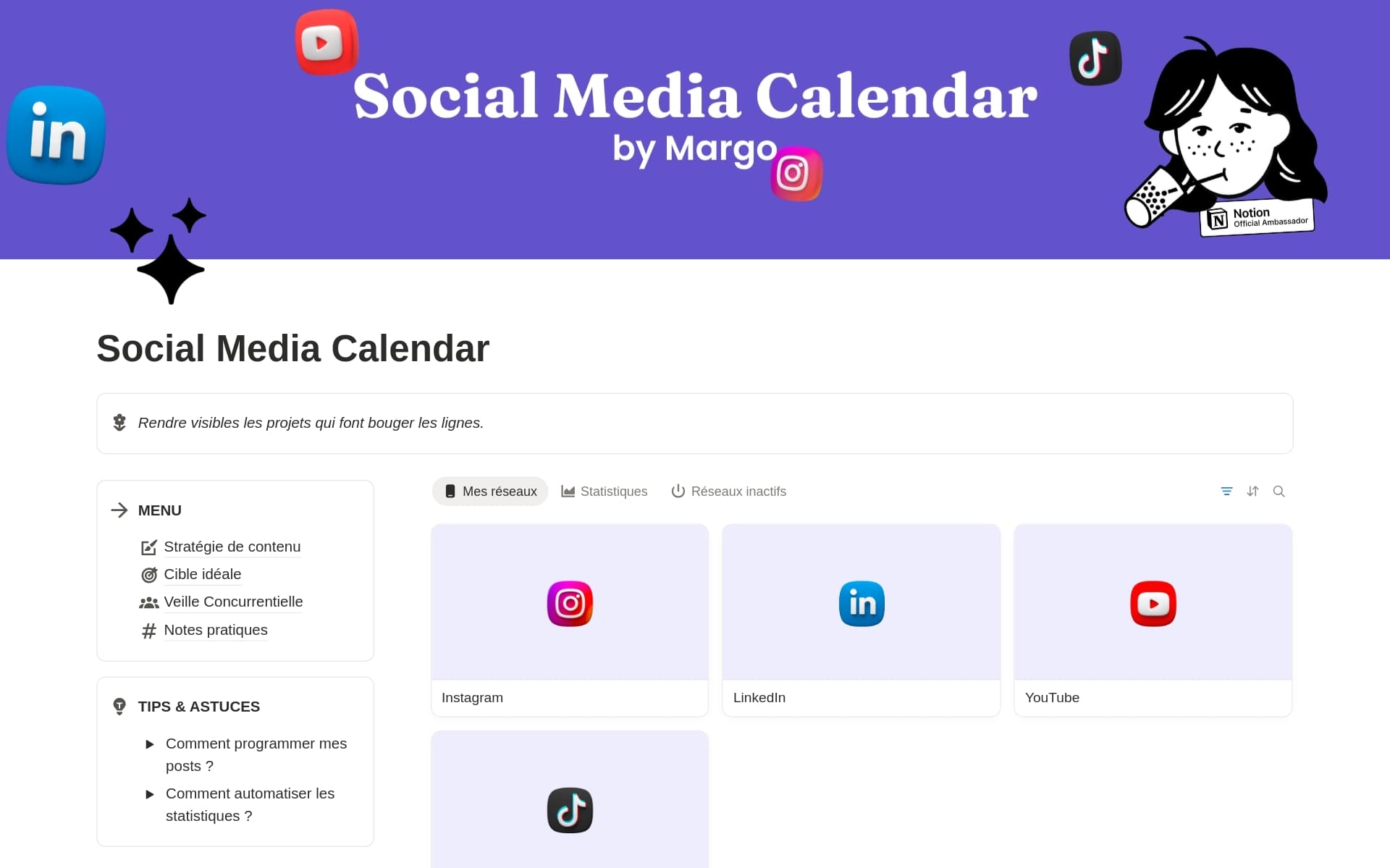
- Calendar view to visualize your publishing schedule
- Board view with status columns (Draft, Scheduled, Published)
- Platform filter to view posts by network (LinkedIn, Instagram, TikTok, YouTube, Facebook, X)
- Content format tags (Post, Carousel, Reel, Story, Video, Short)
- Publish date property for auto-scheduling
- Content strategy section with tips and best practices
- 2-3 example posts pre-filled per platform
How to manage all your platforms from one Notion calendar
Why a centralized calendar beats platform-specific tools
Managing three or four social media platforms separately means constant context switching: opening Buffer for LinkedIn, switching to Later for Instagram, checking a spreadsheet for TikTok. Each tool has its own interface, its own calendar, and its own way of doing things. The result is duplicated effort, inconsistent posting, and missed opportunities.
A single Notion content calendar solves this. One database, one calendar view, one kanban board - with filters to show only LinkedIn posts, only Instagram reels, or everything at once. You see gaps in your schedule instantly. You spot when you've been posting too much on one platform and neglecting another. And when you connect it to Scheduled, that same database publishes to all six platforms automatically.
Calendar view vs Board view - when to use each
This template includes two pre-configured views that serve different purposes. The Calendar view is your scheduling cockpit: it shows every post on the day it's planned, across all platforms. Use it to spot gaps, check posting frequency, and ensure you're not stacking three posts on the same day while leaving Wednesday empty.
The Board view (kanban) tracks the production status of each post: Draft, In Review, Scheduled, Published. This is your content pipeline. Use it during your weekly planning session to see what needs writing, what's ready to schedule, and what's already gone live. Together, these two views give you complete visibility over both your editorial calendar and your production workflow.
Cross-platform content strategy from Notion
The most efficient content creators don't create separate content for each platform. They repurpose. A LinkedIn text post becomes an Instagram carousel. A TikTok video gets reposted as a YouTube Short. A detailed LinkedIn article becomes a thread on X. This template's platform property makes repurposing systematic: create one post, duplicate it, change the platform tag, and adapt the format.
Creators who post to three or more platforms using Scheduled see 2.4x more total impressions than single-platform creators. The social media calendar template makes this workflow effortless - plan once in Notion, publish everywhere with Scheduled.
How to use with Scheduled
Duplicate this template
Click the button above to duplicate the template into your Notion workspace. It's free and takes 10 seconds.
Connect to Scheduled
Sign up for Scheduled (free 14-day trial), connect your Notion workspace, and select this database. Choose which platforms to publish to.
Plan and publish everywhere
Add posts to your calendar, set publish dates, and Scheduled publishes to LinkedIn, Instagram, TikTok, YouTube, Facebook, and X automatically. Formatting preserved.
Frequently Asked Questions
Yes, completely free. Duplicate it into your Notion workspace and start using it immediately. No signup required for the template itself.
Yes, by connecting it to Scheduled. Write your post in Notion, set a publish date, select the platform, and Scheduled publishes automatically to LinkedIn, Instagram, TikTok, YouTube, Facebook, and X.
Calendar view for scheduling, Board view (kanban) for tracking status, and filtered views by platform. You can add custom views to fit your workflow.
The LinkedIn Content Planner is designed specifically for LinkedIn with LinkedIn-specific features like content pillars and character counting. This Social Media Calendar is multi-platform - it manages content for all six platforms from one database.
Yes. Notion workspaces allow real-time collaboration. Share the database with team members, assign posts, and use the status columns for approval workflows.
More free Notion templates
Discover more templates to organize your content and publish from Notion.
Connect this template to Scheduled and publish everywhere
Plan in Notion, publish to LinkedIn, Instagram, TikTok, YouTube, Facebook, and X automatically.
Try Scheduled free for 14 days